Try lt Free
 Recovery success rate of up to

Zero-knowledge encryption is a privacy design where a service can store your data but cannot read its contents. The files are encrypted before or as they leave your device, and the key needed to decrypt them stays under your control.
That makes zero-knowledge systems attractive for cloud storage, password managers, secure notes, and private backups. It also changes what happens when you lose access.
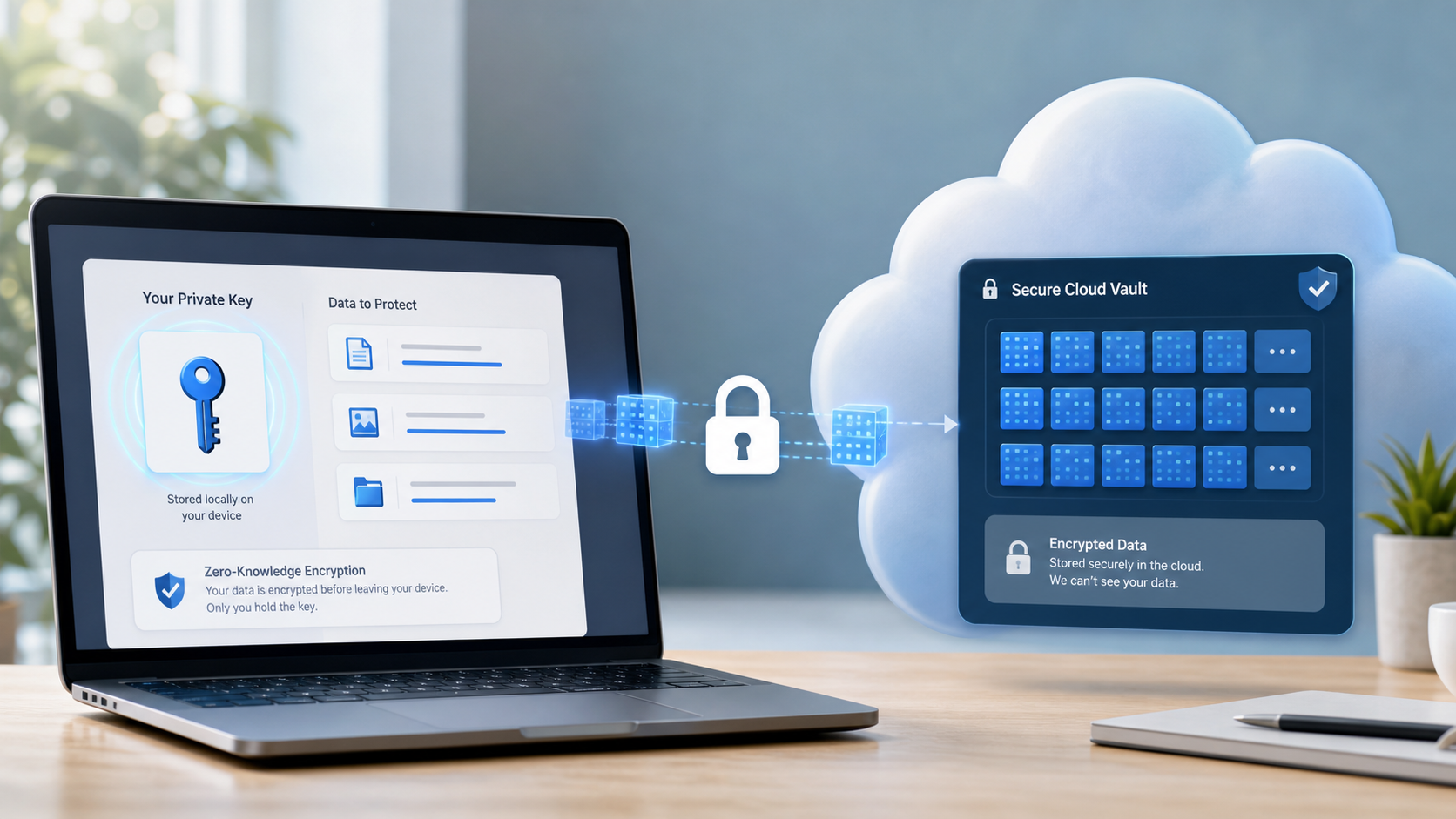
How it differs from ordinary cloud encryption
Many cloud services encrypt data in transit and at rest. That protects against some attacks, but the provider may still have technical access to decrypt data for features such as previews, search, or account recovery.
With zero-knowledge encryption, the provider should not have your decryption key. Even if the storage server is accessed, the attacker should see encrypted data rather than readable files.
Why it matters for privacy
Zero-knowledge encryption limits who can read your files. It is useful for sensitive documents, private photos, business records, and backups that should not be visible to the storage provider.
It also reduces risk from insider access and some server-side breaches. The provider can still know metadata such as account information, payment data, file sizes, or timing, depending on the service.
The tradeoff: recovery can be harder
If only you hold the key, losing that key can mean losing access. Some services cannot reset a zero-knowledge password or decrypt your files for you. That is the point of the design, but it makes recovery planning essential.
Store recovery codes safely, keep trusted devices updated, and understand how export and backup features work before an emergency.
Local storage still needs care
Cloud privacy does not protect a failing drive, accidental deletion, or corrupted storage card. If a local device contains important files, keep a separate backup and avoid risky repair commands when errors appear.
If files are missing from a local drive, a recovery-focused resource like Drecov can help users choose safer next steps before formatting or overwriting data.
Use encryption with a recovery plan
Zero-knowledge encryption is powerful, but it should not be the only part of your data plan. Use strong authentication, maintain backups, document recovery codes, and test restoration.
When local file recovery is needed, users can start from the Drecov download link and recover files to a different storage device. Privacy, backup, and recovery should work together rather than compete.
About us and this blog
Panda Assistant is built on the latest data recovery algorithms, ensuring that no file is too damaged, too lost, or too corrupted to be recovered.
Request a free quote
We believe that data recovery shouldn’t be a daunting task. That’s why we’ve designed Panda Assistant to be as easy to use as it is powerful. With a few clicks, you can initiate a scan, preview recoverable files, and restore your data all within a matter of minutes.