Try lt Free
 Recovery success rate of up to

When files are lost, many users face the same question: should they use data recovery software or contact a professional recovery service? The answer depends on what happened to the storage device.
Software is usually appropriate for logical data loss. A professional service is safer for physical damage. Choosing the wrong path can make recovery harder.
What data recovery software is best for
Data recovery software is designed for cases where the storage device is still physically readable. The drive may have deleted files, a formatted partition, a RAW file system, missing folders, or an inaccessible volume, but the computer can still detect the device.
Examples include:
Deleted files.
Emptied Recycle Bin.
Formatted USB drive.
RAW external hard drive.
Corrupted SD card.
Lost partition.
Files missing after virus activity.
In these cases, software can scan the device and copy recoverable files to another location.
PandaOffice Drecov as a DIY software option
PandaOffice Drecov is a practical DIY recovery option for Windows users because it supports common logical recovery scenarios and provides a visual scan-and-preview workflow.
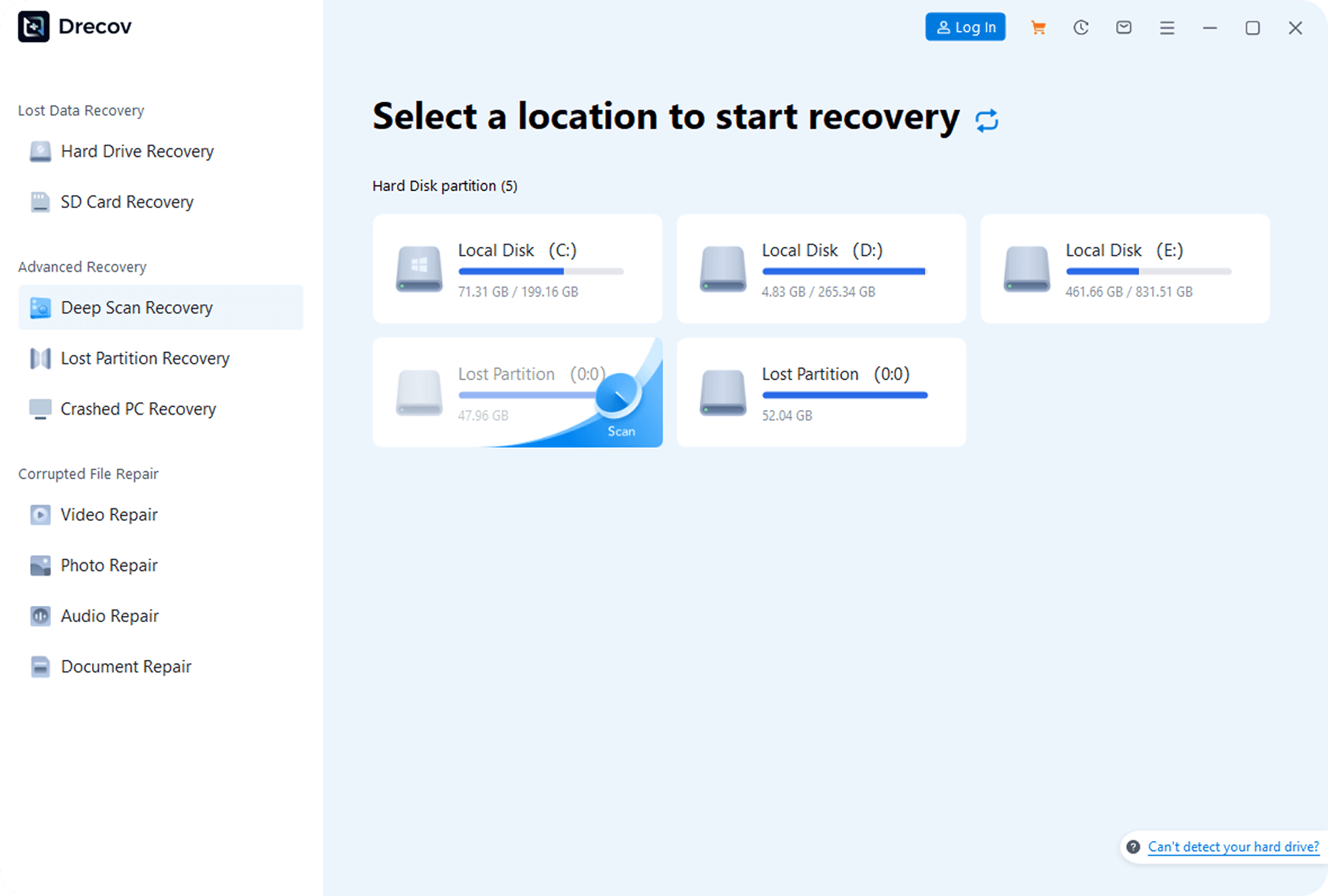
It is useful when the drive is detected but files are missing or inaccessible. Users can select the affected storage device, scan it, preview files, and recover them to another drive. This is often the right first step for USB drives, SD cards, external hard drives, and formatted partitions.
Software is usually faster and cheaper than professional service. It also lets users attempt recovery immediately.
When professional data recovery is safer
A professional recovery service is safer when the device has physical damage or severe hardware failure.
Examples include:
Hard drive clicking or grinding.
Drive not spinning.
SSD not detected at all.
USB drive physically broken.
SD card cracked or bent.
External drive dropped or water damaged.
RAID or NAS failure.
Device disconnects every few seconds.
Computer freezes when the drive is connected.
In these cases, repeated software scans may stress the device and make recovery harder. Professional labs may use hardware imaging tools, cleanroom procedures, donor parts, and specialized methods.
Cost differences
Software recovery is usually much cheaper. Many tools offer free scans and preview, with paid recovery required for saving large amounts of data. This makes software attractive for home users, students, photographers, and small offices.
Professional recovery can cost much more, especially for physically damaged hard drives, RAID arrays, encrypted devices, or emergency service. But if the data is extremely valuable, the cost may be justified.
Risk differences
Software risk is low when used correctly on a stable drive. The key is to avoid writing to the affected device. Install software on another drive and recover files to another location.
The risk increases if the device is physically unstable. If a drive is clicking, overheating, or disconnecting, scanning it repeatedly may worsen the problem.
Professional services reduce hardware handling risk, but users must choose a reputable provider with clear privacy, security, and evaluation policies.
How to decide
Use software first if:
The device is detected.
There are no unusual noises.
The drive stays connected.
The issue is deletion, formatting, RAW file system, or missing folders.
You have a safe destination drive for recovered files.
Choose a service if:
The drive is physically damaged.
The data is extremely valuable.
The device is not detected.
The drive makes clicking or grinding sounds.
The device was dropped, burned, or exposed to water.
The storage system is RAID, NAS, or encrypted and business-critical.
A safe combined approach
Some cases benefit from a staged approach. If the device is stable, scan it with software such as PandaOffice Drecov. If the scan fails, files are corrupted, or the device becomes unstable, stop and consider a service.
Do not keep trying multiple tools on a failing drive. Each scan reads the device and may worsen hardware problems.
Summary
Data recovery software and professional recovery services solve different problems. Software is best for logical recovery when the device is still readable. Professional service is best for physical damage, severe hardware failure, and high-value business data.
For common deleted, formatted, RAW, or corrupted storage cases, PandaOffice Drecov is a practical first step. For clicking drives, broken devices, RAID failures, or mission-critical data, professional recovery is the safer choice.
About us and this blog
Panda Assistant is built on the latest data recovery algorithms, ensuring that no file is too damaged, too lost, or too corrupted to be recovered.
Request a free quote
We believe that data recovery shouldn’t be a daunting task. That’s why we’ve designed Panda Assistant to be as easy to use as it is powerful. With a few clicks, you can initiate a scan, preview recoverable files, and restore your data all within a matter of minutes.